Home Office Setup for Productivity: The Psychology of Focus
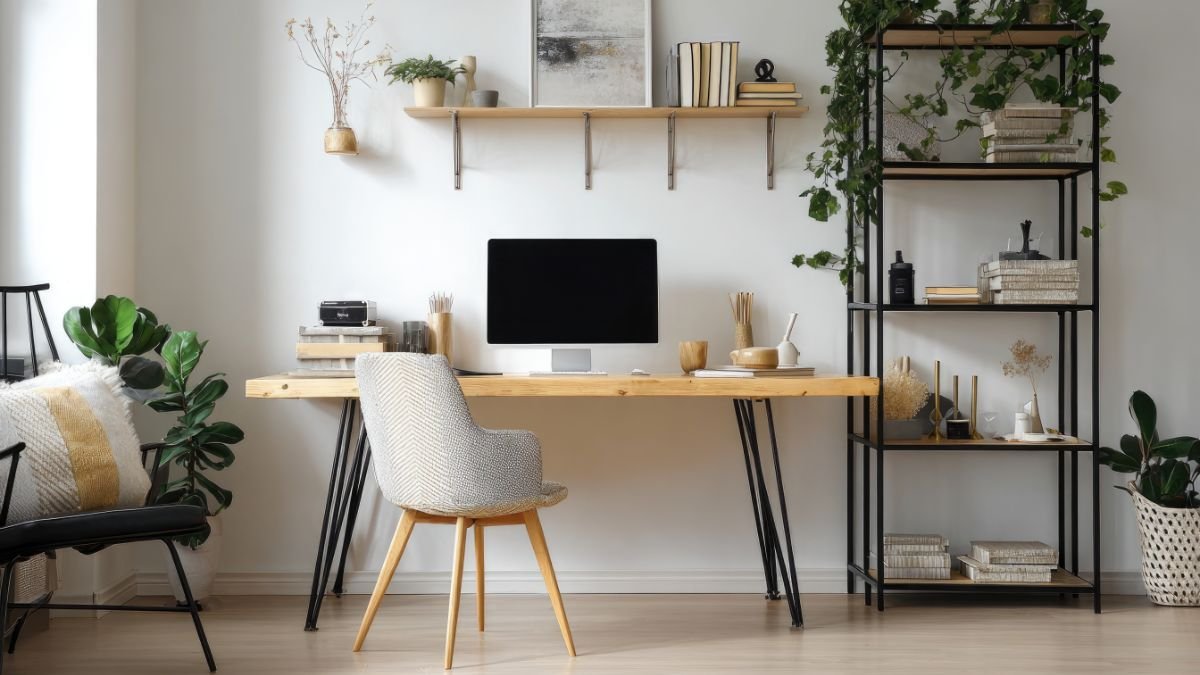
Your home office setup for productivity starts long before you choose a desk or buy a chair. Your workspace isn’t just affecting your comfort — it’s quietly sabotaging your brain before you’ve typed a single word.
Too warm? Your reaction times slow and you start making silly mistakes. Too cold? Same problem. Visual clutter on your desk? Your brain is already working overtime processing it before you’ve even opened your laptop. Poor lighting? You’ll hit that afternoon slump harder than you need to.
The good news is that the research here is remarkably clear — and the fixes are often free or close to it. Small, targeted changes to your physical workspace can meaningfully improve your focus, reduce mental fatigue, and help you think more clearly throughout the day. No expensive ergonomic chairs required.
This guide is aimed at home workers and individuals — not corporate office managers planning a full redesign. These are practical, evidence-based changes you can make today. Let’s start with the one most people completely overlook.
Temperature: The Goldilocks Zone for Your Home Office Productivity
Temperature might feel like a minor comfort issue, but it’s one of the most powerful environmental factors affecting how well your brain works. Here’s why: your body uses energy to regulate its own temperature. When your workspace is too warm or too cold, that energy gets diverted away from thinking — and you pay for it in slower reactions, more errors, and reduced ability to solve complex problems.
Research consistently points to a surprisingly narrow sweet spot: 20–22°C (68–72°F). You might not consciously notice when you’ve drifted outside this range, but your output will show it. A small study at Cornell University found that when office temperature crept up from 20°C to 25°C, typing errors increased by 44% and output dropped by 150%. That’s not a rounding error — that’s your afternoon disappearing.
And it’s not just heat that causes problems. Temperatures below 20°C produce similar performance reductions. Cold fingers might feel like a minor annoyance, but the impact on your work is anything but minor.

There’s also a less obvious issue: an uncomfortable temperature creates a constant low-level background stress. Your nervous system keeps firing off “something’s wrong” signals, creating the kind of nagging distraction that undermines your focus at work all day long — without you ever quite pinpointing why you feel unsettled.
One practical note: individual preferences vary quite a bit. Women tend to prefer slightly warmer environments than men, and metabolic differences mean one person’s “comfortable” can be another’s “stifling.” If you share a workspace, layered clothing and personal desk fans or small heaters can help bridge the gap without ongoing arguments over the thermostat.
For home workers, a simple programmable thermostat is worth its weight in gold. Set it to reach your target temperature 30 minutes before you start work — so your workspace is already optimised when you sit down, rather than waiting for it to catch up while you’re trying to concentrate.
QUICK WIN:
Check your room temperature right now. If you don’t have a thermometer, most smart speakers and phone apps can tell you. If you’re outside the 20–22°C range, adjust your heating or grab a layer before you start work. Better yet, set a recurring thermostat schedule so your workspace is at the right temperature every morning without you having to think about it.
Lighting: Natural Light Beats Everything in a Productive Home Office Setup
Lighting has a surprisingly powerful effect on how alert and focused you feel — and most people’s workspaces are lit far too dimly for serious cognitive work. Your brain’s internal clock (the circadian system) relies heavily on light to regulate everything from cortisol release to core body temperature. Get the lighting wrong and you’re essentially telling your brain it’s time to wind down, not start the day.
Natural daylight is the gold standard, particularly in the morning. Research published in the Journal of Clinical Sleep Medicine found that workers with windows in their workspace received 173% more natural light exposure during work hours and got 46 minutes more sleep per night than those without windows. More sleep, better focus — from simply sitting closer to a window.
The position of your desk relative to the window matters more than you might expect. Light from behind creates glare on your screen. Light directly in front causes squinting and eye strain. Side lighting is ideal — you get all the benefits without the downsides.
When natural light isn’t available, the type of artificial lighting you use makes a real difference. Standard warm bulbs emit light weighted towards yellow and red wavelengths — the same wavelengths that signal “evening” to your brain. In other words, your cosy warm lamp is slowly convincing your brain it’s time for bed. Full-spectrum or daylight-balanced bulbs (look for 5000–6500K on the packaging) mimic natural daylight much more closely and help maintain alertness through the day.
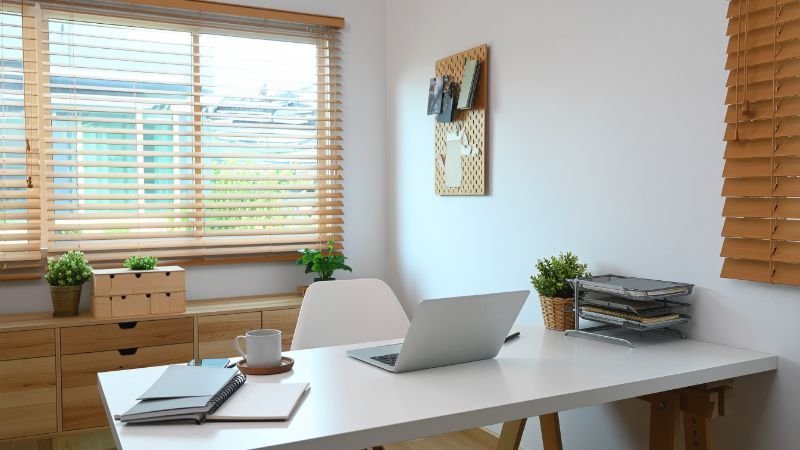
Brightness matters too. Dim environments signal rest time. For sustained focused work, aim for at least 500 lux at your desk surface. Standard household lighting often provides only 100–200 lux — enough to see by, but not enough to keep your brain properly switched on. An inexpensive desk lamp with a daylight bulb can make a noticeable difference if you can’t easily improve your overhead lighting.
In the evenings, reverse the principle. Reducing blue light exposure two to three hours before sleep helps protect your sleep quality — and good sleep directly impacts next-day mental performance. Warmer evening lighting (2700–3000K) or blue-light filtering software on your devices can help here.
Visual Clutter: The Hidden Home Office Productivity Tax
Here’s something that might make you want to tidy your desk immediately: visual clutter doesn’t just look messy — it measurably impairs your ability to think. Princeton University neuroscientists used brain imaging to show that physical clutter in your visual field actively competes for your brain’s attention, reducing your capacity to process information.
Every object within your line of sight is a potential distraction — a half-finished project, a receipt you meant to deal with, a book you’ve been meaning to read. Your brain scans these objects constantly and automatically, evaluating whether each one requires action. You’re not consciously doing this, but the cognitive resources it consumes are very real.
Research from UCLA’s Center on Everyday Lives and Families found a meaningful link between the density of objects in a home and elevated cortisol levels. Part of why clutter is so draining is that your brain treats it as unfinished business. Every visible pile, stray object, or half-dealt-with item acts as a low-level alert — a constant nudge that something needs doing. Psychologists call this the Zeigarnik effect: unfinished tasks continue to demand mental attention until they’re resolved. A cluttered workspace is essentially a room full of open loops, each one quietly competing for your focus.
The good news: this is one of the cheapest and fastest fixes in this entire guide. You don’t need to become a minimalist — you just need to clear your immediate visual field. Store books, supplies, and equipment in closed storage or out of your direct sightline. Keep only what you’re actively using on your desk right now.
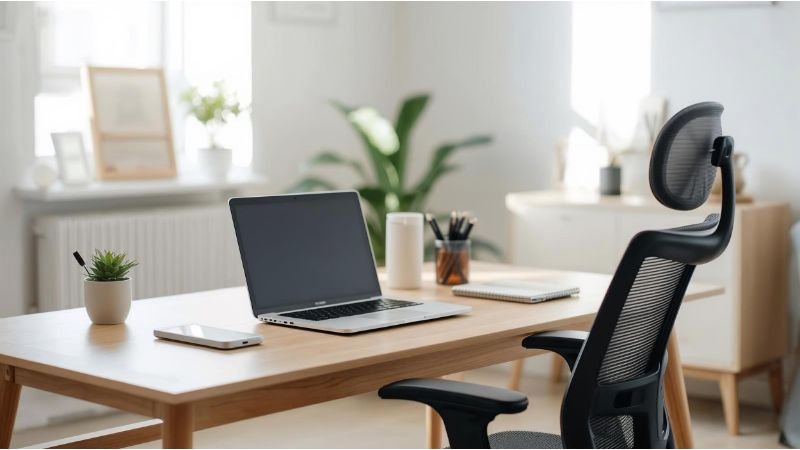
A “clear desk” protocol is one of the most effective micro-habits you can build: at the end of each work session, return everything to its designated place. Starting the next day with a clean desk eliminates the cognitive overhead of navigating yesterday’s mess, and creates a useful psychological signal that it’s time to focus. For a deeper look at reducing mental load throughout your day, see the 5-Item Method for mental clutter clearing.
QUICK WIN:
Set a timer for 10 minutes and clear everything off your desk except what you’re actively working on right now. Don’t sort, file, or organise — just move it out of sight. Notice how your workspace feels afterwards. If you want to make this stick, add a 2-minute “clear desk” step to the end of your daily routine so you start tomorrow fresh.
Air Quality: The Overlooked Home Office Performance Factor
This one tends to surprise people: the air in your workspace could be quietly degrading your mental performance right now, and you’d have no idea. Unlike temperature or clutter, you can’t see or feel the effects of poor air quality until they’ve already taken hold — and by then you’re just wondering why you feel foggy and sluggish.
The main culprit is carbon dioxide (CO₂) accumulation. As you breathe in a closed room, CO₂ levels rise and oxygen availability decreases. Your brain is an oxygen-hungry organ — it consumes around 20% of your body’s total oxygen despite making up just 2% of your body weight. Even small reductions in oxygen availability impair your ability to sustain attention and work through complex problems.
A Harvard study published in Environmental Health Perspectives placed office workers in two different environments — a well-ventilated “green” office with low chemical pollutant levels, and a conventional office with typical CO₂ and chemical levels. Cognitive function scores were 61% higher in the green building conditions. The biggest gains were in exactly the areas that matter most for focused work: strategic thinking, decision-making, and responding effectively to problems.
The fixes are straightforward. Opening a window for 10–15 minutes every hour makes a dramatic difference to air exchange, even in cool weather. If outdoor ventilation isn’t possible, an air purifier with HEPA filtration handles particulates; adding an activated carbon filter tackles volatile organic compounds from furniture, paint, and cleaning products.
Indoor plants do provide some air quality benefits, but their purification capacity is more modest than the Instagram plant-enthusiasm might suggest. Their bigger value is psychological: studies show that having plants in your workspace reduces stress and improves mood. That’s still worth something — and they’re much better company than an empty desk.
It’s also worth monitoring humidity. The optimal range for cognitive performance and respiratory health is 40–60% relative humidity. Too dry and you’ll experience increased fatigue and respiratory irritation. Too humid and you risk damp, mould, and thermal discomfort. An inexpensive hygrometer gives you this information at a glance.
Noise: Managing Your Auditory Environment for Home Office Productivity
Background noise affects your mental performance in complex ways — and it’s not as simple as “loud is bad, quiet is good.” The type of noise, its predictability, and the nature of your work all play a role. Getting this right is one of the most personal aspects of home office setup for productivity.
The worst offender is speech. When you can hear a conversation — even one you’re not part of and not trying to follow — your brain automatically processes the linguistic content. This isn’t a choice; it’s hardwired. Evolution designed your brain to prioritise social communication, which means background speech constantly competes with your intentional cognitive work. A study in the Journal of the Acoustical Society of America found that office workers exposed to conversational speech showed significantly worse performance on memory tasks compared to those in quieter environments.
Continuous mechanical noise is a different problem. You may habituate to the sound of a fan or air conditioning unit — you stop consciously noticing it — but research shows these sounds still create physiological stress responses and increase mental fatigue over time. Your brain is working harder than it should, even though it’s learned to ignore the noise.
For home workers, the most impactful step is often simply identifying and eliminating unnecessary noise sources. That humming appliance or ticking clock you’ve stopped noticing? Removing it genuinely helps. When you can’t eliminate background noise, quality noise-cancelling headphones are the most effective solution. If you choose to work with audio playing, instrumental music at moderate volumes produces less cognitive interference than music with lyrics, particularly for tasks involving reading or writing.
Ergonomics: Physical Comfort Enables Home Office Mental Performance
Physical discomfort creates a slow, persistent drain on your cognitive resources. When your back aches or your wrists are strained, your brain is constantly managing those signals — and that processing competes with the thinking you’re actually trying to do. Proper ergonomics isn’t about luxury; it’s about removing an unnecessary source of competition for your brain’s limited attention.
Monitor position is one of the biggest variables. The top of your screen should sit at or just below eye level, roughly an arm’s length away. This reduces neck strain and eye strain while keeping your visual angle comfortable for long periods of focused work.
If you work on a laptop without an external monitor, you’re dealing with an unavoidable trade-off: either your neck flexes down to see the screen, or you elevate the laptop to eye level and strain your wrists while typing. A laptop stand with an external keyboard solves this entirely and costs far less than an ergonomic chair. This isn’t a nice-to-have — it’s a genuine performance issue if you work this way for hours each day.
Chair height is often more important than chair cost. Your feet should sit flat on the floor, knees at approximately 90 degrees, forearms roughly parallel to the desk when typing. If your current chair doesn’t achieve this, a footrest or seat cushion often solves the problem without spending anything. Optimise what you have before buying anything new.
Finally, consider adding a standing option. You don’t need to use it constantly — but research shows that alternating between sitting and standing through the day reduces physical discomfort and improves alertness compared to sitting solidly for eight hours. For a complete visual guide to workstation positioning, the Mayo Clinic’s ergonomics guide covers everything in plain language.
Personalisation: Creating Psychological Ownership of Your Workspace
Personalising your workspace isn’t just about making it look nice — it has measurable effects on your stress levels and cognitive performance. Research shows that workers who can make choices about their environment (artwork, layout, lighting, plants) report higher job satisfaction and perform better on cognitive tasks. The underlying mechanism appears to be psychological ownership: when you feel in control of your space, you feel less stressed in it.
This doesn’t mean cramming your desk with personal items — that just recreates the clutter problem. It means making a small number of deliberate choices that support your psychological wellbeing without overwhelming your visual field.
Nature elements are particularly effective. Studies show that even photographs of natural environments reduce stress and improve attention restoration compared to urban scenes or abstract imagery. If you don’t have a view of the outdoors, a high-quality photograph of a natural landscape on your wall genuinely helps — it’s not just decorative wishful thinking.
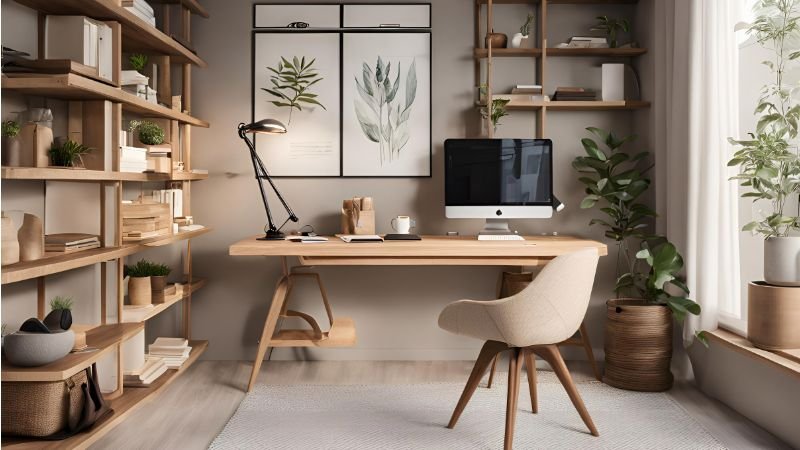
Colour psychology suggests blues and greens support calm focus, while warmer yellows can enhance creativity and optimism. Individual responses vary though, so rather than repainting your office based on a colour chart, pay attention to how different environments actually make you feel. Your own response is a more reliable guide than a general principle.
Technology: Managing Digital Distraction in Your Home Office
Your physical workspace extends into the digital one — and the principles of clutter and distraction apply just as much to your screen as to your desk. Your digital workspace deserves a mention here because it interfaces directly with your cognitive performance.
Notification management is the single highest-impact digital intervention available to you. Every notification — email ping, message alert, app badge — triggers an attention shift that disrupts focused work. Research shows that after an interruption, it takes an average of 23 minutes to fully return to your original task. Not 23 seconds. 23 minutes. Turn off all non-essential notifications during focused work periods. Batch emails and messages at set times rather than letting them interrupt you continuously throughout the day — the principles behind email batching apply directly here.
Open browser tabs create cognitive overhead in exactly the same way physical clutter does. Each open tab represents an incomplete task or unresolved decision, quietly demanding attention even when you’re not using it. Implementing a systematic approach to browser tabs — closing anything not directly relevant to your current task — makes a more noticeable difference than most people expect.
A useful advanced step: use separate browser profiles for different work contexts. One for deep work with minimal extensions and saved bookmarks. Another for research and communication. This separation creates clear contextual boundaries that help your brain switch modes more effectively.
Creating Your Home Office Setup for Productivity: Where to Start
The good news: you don’t need to overhaul everything at once. The most effective approach is to start with the highest-impact, lowest-cost changes and build from there.
Start with lighting and temperature — these affect everyone and require minimal investment. Spend a day tracking your workspace temperature and adjust your heating or thermostat strategy to hit the 20–22°C window during working hours. Reposition your desk to maximise natural light, or buy a daylight desk lamp if that’s not possible.
Next, tackle visual clutter. Spend 30 minutes removing everything from your desk except what you’re actively using today. Put everything else in closed storage. This costs nothing and produces immediate, noticeable benefits.
Then address air quality. If you can open a window, do so for 10–15 minutes every hour. If not, consider a basic air purifier or add a couple of plants. These are modest investments with ongoing payoffs.
Finally, work on ergonomics and noise. Adjust your monitor height and seating position. Try different approaches to background noise — silence, noise-cancelling headphones, or carefully selected instrumental music — and notice what actually works for different types of tasks.
Throughout this process, pay attention to your own experience. Friction logging — noting where your day keeps snagging — helps you identify which environmental factors are having the biggest impact on your specific work, so you can prioritise the most meaningful improvements. For a broader view of how your workspace fits into your overall cognitive performance, the Mental Performance Checklist assesses ten pillars at once and shows you where your biggest gains are.
The Compound Effect of Home Office Setup for Productivity
Here’s the thing about workspace optimisation that makes it genuinely exciting from a marginal gains perspective: the improvements don’t just add up — they multiply.
If each environmental factor improves your performance by around 8%, optimising five factors doesn’t produce a 40% improvement. It produces something closer to 47%, because each enhancement creates a foundation that allows the others to work more effectively. Your brain operates as an integrated system: better sleep (from improved lighting) makes you more resilient to temperature variation; reduced cortisol (from a clutter-free desk) improves your decision-making; optimal temperature means more metabolic energy available for actual thinking. The effects cascade.
The research supporting workspace optimisation is clear: your environment shapes your cognitive performance in measurable, meaningful ways. And these aren’t dramatic transformations requiring significant investment — they’re targeted adjustments that leverage your brain’s evolved responses to environmental conditions.
Pick one change today. Measure its impact over the next week. Add another. Your workspace isn’t just where you work — it’s a tool for enhancing the brain that does the work. It’s worth treating it like one.
QUICK WIN:
Your 15-minute workspace audit: (1) Check the temperature — is it between 20–22°C? (2) Look at your desk — remove everything you don’t need for today. (3) Open a window or door for 10 minutes to refresh the air. (4) Check your phone and computer notifications — turn off anything non-essential. Four small changes, right now, that your brain will thank you for.
RESOURCES:
I only recommend resources that I either use personally or have researched and feel are genuinely helpful for my readers. Resources sometimes contain affiliate links; if you purchase through these, I may earn a small commission at no extra cost to you.
Recommended reading
The Organized Mind: Thinking Straight in the Age of Information Overload — Daniel Levitin. A neuroscientist’s practical guide to managing cognitive load, reducing mental clutter, and structuring your environment for clearer thinking. Paperback | Kindle | Audible
Deep Work: Rules for Focused Success in a Distracted World — Cal Newport. The definitive case for protecting your focused attention and designing your environment around sustained concentration. Paperback | Kindle | Audible
Indistractable: How to Control Your Attention and Choose Your Life — Nir Eyal. A practical framework for managing distraction from both external sources and internal triggers, with specific strategies for digital and physical environments. Paperback | Kindle | Audible
Useful tools
Brain.fm — Science-backed focus music designed to support sustained concentration.
Freedom — App and website blocker that works across all your devices simultaneously.
f.lux — Free software that adjusts your screen’s colour temperature automatically through the day.
Related articles
How to Focus Better at Work — Strategies for building and protecting sustained attention throughout the day.
Email Batching — Reclaim mental energy lost to constant inbox checking.
Browser Tab Management — Clear your digital workspace as effectively as your physical one.
Friction Logging — Identify exactly what’s slowing you down, one small observation at a time.
Why Time Blocking Fails — And how to make it actually work for your type of work.
Mental Performance Checklist — Assess all ten pillars of cognitive performance and find your biggest gains.
I'm Simon Shaw, a Chartered Occupational Psychologist with over 20 years of experience in workplace psychology, learning and development, coaching, and teaching. I write about applying psychological research to everyday challenges - from habits and productivity to memory and mental performance. The articles on this blog draw from established research in psychology and behavioural science, taking a marginal gains approach to help you make small, evidence-based changes that compound over time, allowing you to make meaningful progress in the areas you care about most.